How to Diagnose and Fix AC Drive Repair Issues
Dealing with AC drive problems can be frustrating, especially when your equipment suddenly malfunctions or overheats. You’re not alone—many people struggle with diagnosing and fixing these issues quickly and effectively.
Whether you’re a seasoned technician or just trying to keep your system running smoothly, understanding how to troubleshoot AC drive repair problems can save you time and headaches.
You can diagnose AC drive repair issues by first spotting signs like erratic operation or overheating, then safely powering down the unit and inspecting wiring for damage or loose connections.
Use a multimeter to check voltage and consult error codes to pinpoint faults.
Clear minor errors by resetting the drive, but address persistent faults by examining cooling and communication components.
Following careful steps guarantees efficient fixes.
Explore further to master troubleshooting and preventive care techniques.
Key Takeaways
- Identify signs of AC drive malfunction such as erratic operation, unusual noises, overheating, or inconsistent motor performance before troubleshooting.
- Inspect power supply, wiring, and grounding carefully. Use a multimeter and check for damage, corrosion, or loose connections.
- Interpret error codes using the manufacturer’s manual to pinpoint specific faults and avoid unnecessary component replacements.
- Perform corrective actions like resetting the drive, checking cooling systems, and verifying motor load and communication wiring.
- Conduct regular preventive maintenance including cleaning filters, updating firmware, and scheduling professional repairs for complex issues.
Signs Your AC Drive Needs Repair

Although AC drives are built to last, you’ll notice certain signs when they need repair. If your equipment starts running erratically or you see frequent shutdowns, it’s a clear indicator that your AC drive might be failing.
Equipment running erratically or frequent shutdowns signal your AC drive may require repair.
During AC drive installation, you expect smooth operation. But if you detect unusual noises or vibrations, it’s time to investigate further. Another sign is a drop in energy efficiency; if your system uses more power than usual or heats up excessively, the drive could be malfunctioning.
You might also experience difficulty in controlling motor speed or inconsistent performance. Ignoring these signs can lead to more severe damage, increasing downtime and repair costs.
Keep an eye on warning lights or fault codes on the drive’s display, as they directly point to issues needing attention. By recognizing these symptoms early, you guarantee your AC drive continues to operate reliably and maintains maximum energy efficiency.
Getting Ready to Troubleshoot Your AC Drive Safely

Before you start troubleshooting your AC drive, make sure you prioritize safety to prevent injury or equipment damage. Understanding the historical development of AC drives helps you appreciate their complexity and the importance of careful handling. Also, consider the environmental impact: proper maintenance avoids waste and energy inefficiency.
To get ready, follow these essential steps:
| Step | Action |
|---|---|
| Power Down & Isolate | Disconnect power to avoid shocks |
| Use Proper PPE | Wear gloves and eye protection |
| Verify Environmental Conditions | Ensure dry, clean workspace |
Always discharge capacitors before touching components to avoid electric shocks. Keep your tools insulated and follow manufacturer guidelines. These precautions not only protect you but also preserve the equipment’s longevity, reducing environmental harm by limiting unnecessary replacements. Being cautious sets a solid foundation for effective troubleshooting.
Power Supply and Wiring Checks

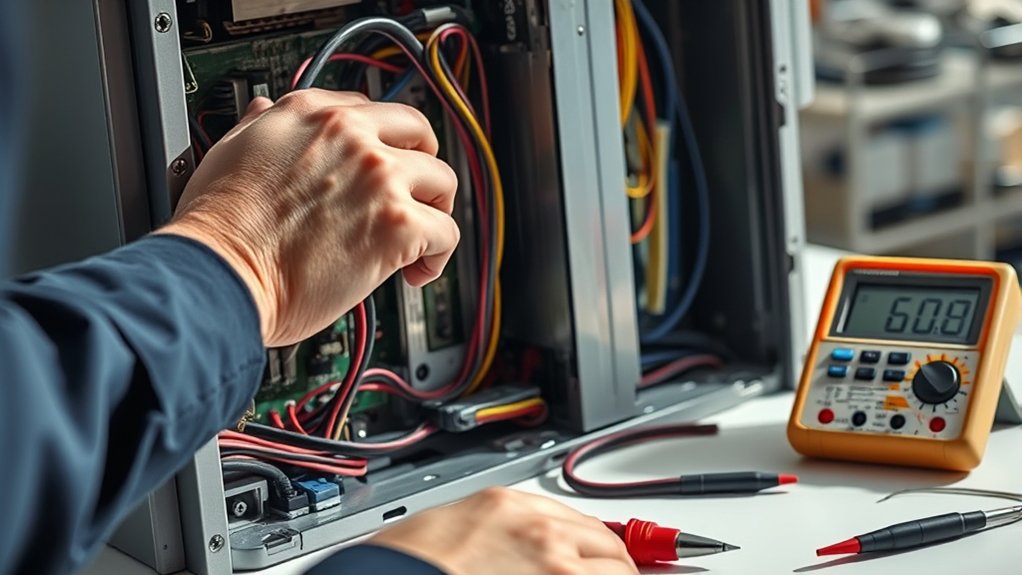
Since a reliable power supply and secure wiring are the backbone of any AC drive system, you need to start your troubleshooting by thoroughly inspecting these elements. Begin by checking for loose connections, damaged insulation, or corrosion, which can cause intermittent faults or failures.
Start troubleshooting your AC drive by inspecting power supply and wiring for loose connections and damage.
Use a multimeter to measure voltage levels and guarantee they stay within the manufacturer’s specified range. Watch out for voltage fluctuations, as these can stress components and lead to premature failure.
Also, examine wiring for signs of component degradation, such as discoloration or brittleness, which often indicate overheating or electrical stress. Replace any damaged wires or connectors immediately.
Don’t forget to verify grounding and affirm all terminals are clean and tight. By addressing power supply and wiring issues early, you’ll prevent unnecessary wear on your AC drive and improve overall system reliability. Taking these steps sets a solid foundation before moving on to more complex diagnostics.
Reading and Interpreting AC Drive Error Codes
When your AC drive encounters an issue, it usually displays an error code to help you identify the problem quickly. These codes are your first clue in diagnosing what’s wrong.
You’ll find the codes listed in the drive’s manual or on the manufacturer’s website, often accompanied by explanations of possible causes. Pay close attention to error codes related to motor efficiency, as they can indicate issues like overload or improper load conditions affecting performance.
Also, consider environmental conditions such as temperature, humidity, or dust, which can trigger errors due to overheating or contamination. Interpreting these codes accurately helps you address specific faults without unnecessary parts replacement.
Always cross-reference the error code with real-time conditions your drive operates in to pinpoint the root cause effectively. By understanding and responding to these error codes, you’ll maintain ideal motor efficiency and extend the life of your AC drive system.
Testing AC Drive Components
Interpreting error codes gives you a clear direction, but confirming the root cause often means testing the individual components of your AC drive. Start by examining the power supply and control boards, as faulty parts here drastically affect motor efficiency and energy savings.
Use a multimeter to check voltages and continuity, ensuring everything is within manufacturer specs. Don’t overlook the capacitors and cooling fans; damaged capacitors reduce performance, while failing fans cause overheating.
Here’s a quick testing checklist to guide you:
| Component | Test Method | What to Check |
|---|---|---|
| Power Supply | Multimeter voltage | Stable voltage output |
| Control Board | Visual & continuity | No burnt parts or open circuits |
| Capacitors | Capacitance meter | Proper capacitance values |
| Cooling Fans | Spin test | Smooth operation, no noise |
Common AC Drive Faults You Can Fix
You’ll often run into common faults like overcurrent, overvoltage, thermal, and communication errors in AC drives. Knowing what these issues mean can really help you figure out what’s wrong faster and fix it the right way. So, let’s dive into how you can spot each problem and get it sorted out without any hassle.
Overcurrent And Overvoltage
Although overcurrent and overvoltage faults can seem complex, you can often identify and resolve them by understanding their common causes and symptoms. Overcurrent protection and overvoltage mitigation are critical to keeping your AC drive running smoothly.
Start by checking these key points:
- Inspect the load and motor for mechanical issues causing excessive current draw.
- Verify input power quality; voltage spikes or drops often trigger overvoltage faults.
- Confirm drive settings match motor specifications to prevent improper current limits.
Thermal And Communication Errors
When your AC drive overheats or loses communication, these issues often signal underlying problems that you can address quickly. Start by checking the thermal management system. Make sure cooling fans work properly and heat sinks are clean.
Overheating often results from blocked airflow or worn components. For communication errors, verify that your drive follows the correct communication protocols. Also, inspect all wiring and connectors for damage or loose contacts.
Reestablishing proper communication can be as simple as resetting devices or updating firmware. Keeping your drive’s firmware up-to-date helps prevent protocol mismatches.
Resetting Your AC Drive Safely
Before you reset your AC drive, it’s important to power it down properly to avoid any damage. You don’t want to rush this step because a proper shutdown keeps everything safe.
Next, use the drive’s built-in reset functions. Just follow the instructions in the manual carefully to clear any faults safely. It’s pretty straightforward once you get the hang of it.
After the reset, take a moment to perform some safety checks. Make sure everything looks and feels back to normal before you restart the drive. This way, you can be confident everything is running smoothly again.
Power Down Procedures
Since resetting your AC drive involves handling electrical components, you need to power down the system safely to prevent damage or injury. Proper power down procedures not only protect you but also help maintain energy efficiency and reduce environmental impact by avoiding unnecessary power surges or faults.
Follow these steps to power down correctly:
1. Disconnect Power Source
Turn off and isolate the main power supply to eliminate any electrical flow.
2. Discharge Capacitors
Wait for the internal capacitors to fully discharge to prevent electric shock.
3. Verify Zero Voltage
Use a multimeter to confirm no residual voltage remains before touching or servicing the drive.
Using Drive Reset Functions
Although resetting your AC drive can resolve many common faults, you need to follow specific steps to do it safely and correctly. First, verify the drive is powered down properly to avoid damage.
Use the manufacturer’s reset function according to the manual to restore default settings without affecting hardware. This approach helps maintain energy efficiency and supports a thorough cost analysis by preventing unnecessary repairs.
Post-Reset Safety Checks
Once you’ve completed the reset, you’ll want to perform essential safety checks to guarantee the AC drive operates correctly and without risk. Start by verifying motor synchronization to ensure the drive and motor are in harmony. Any mismatch can cause mechanical stress or failure.
Next, check all protective devices like overload relays and circuit breakers to confirm they’re properly set and functional. Ultimately, evaluate energy efficiency by monitoring power consumption and drive performance. Inefficient settings could indicate underlying issues or incorrect parameters post-reset.
Follow this checklist:
- Confirm motor synchronization and inspect for abnormal vibrations.
- Test all safety interlocks and protective devices.
- Assess energy efficiency through real-time monitoring and adjust parameters if necessary.
Completing these steps helps safeguard your equipment and optimize performance after a reset.
Using Diagnostic Tools for AC Drives
When you need to pinpoint issues in an AC drive, using diagnostic tools can save you time and frustration. These tools help you quickly identify faults, monitor performance, and guarantee motor protection. By analyzing error codes and real-time data, you can detect problems before they cause major failures.
Many diagnostic devices allow you to check voltage, current, and temperature readings, which are vital for maintaining motor health.
Using diagnostic tools also supports efficiency optimization. You can fine-tune parameters to match your system’s requirements, reducing energy waste and improving overall operation. Furthermore, these tools help verify that protective functions like overload and short-circuit detection are working correctly.
Preventive Maintenance Tips to Avoid Repairs
It’s a good idea to set up a regular inspection schedule so you can catch any issues early and keep your AC drive running smoothly. Also, make sure to clean the components and maintain proper cooling to prevent overheating. And don’t forget to update the firmware and software—this helps guarantee peak performance and avoid any unexpected failures.
Regular Inspection Schedule
Although AC drives are built to last, skipping regular inspections can lead to unexpected breakdowns and costly repairs. To keep your drive running smoothly, stick to a consistent inspection schedule.
Here’s what you should focus on:
- Check wireless connectivity. Verify remote monitoring systems are functioning properly to catch issues early.
- Assess environmental factors. Look for dust, moisture, or temperature extremes that could affect performance.
- Inspect electrical connections. Tighten loose terminals and look for signs of corrosion or overheating.
Cleaning and Cooling Practices
Maintaining a clean environment and proper cooling considerably extends the life of your AC drive and reduces the chance of repairs. Start by regularly performing air filter replacement to prevent dust buildup that can block airflow and cause overheating. Check filters monthly and replace them as needed to keep your drive cool and efficient.
Moreover, apply proper lubrication techniques to moving parts like fans and bearings to reduce friction and wear. Use manufacturer-recommended lubricants and follow specified intervals to maintain smooth operation.
Avoid letting dust and debris accumulate on heat sinks and ventilation openings; clean these areas carefully without damaging components. By consistently practicing these cleaning and cooling habits, you’ll minimize thermal stress, prevent premature failures, and ensure your AC drive operates reliably over time.
Firmware and Software Updates
Because firmware and software control critical functions of your AC drive, keeping them up to date helps prevent unexpected malfunctions and extends the system’s lifespan. Regular firmware updates guarantee your drive operates with the latest features and security patches. Neglecting these can lead to software glitches that cause downtime.
To maintain peak performance:
- Schedule periodic checks for firmware updates from the manufacturer’s website.
- Use diagnostic tools for proactive software troubleshooting to detect errors early.
- Backup current firmware and settings before applying any updates to avoid data loss.
Knowing When to Call a Pro for AC Drive Repair
When your AC drive shows signs of serious malfunction, you should call a professional rather than attempting complex repairs yourself. If you notice persistent error codes, unusual noises, or overheating, these are clear indicators that expert intervention is needed. Trying to fix these issues without proper knowledge can worsen the problem or compromise the drive’s energy efficiency.
A pro understands how to diagnose faults accurately and handle repairs that maintain optimal performance, which is crucial for reducing environmental impact. Faulty drives can waste electricity and increase emissions, undermining your efforts to save energy.
Additionally, if your AC drive is tied to critical operations or expensive equipment, avoiding downtime is essential. Professionals can quickly restore functionality, ensuring your system runs smoothly and efficiently. Don’t risk safety or efficiency. Knowing when to call a pro saves you time, money, and supports sustainable operation.
Frequently Asked Questions
What Types of AC Drives Are Best for Different Industries?
You’ll find that vector drives suit industrial applications needing precise speed control, like robotics or conveyors. For heavy-duty industries, like mining or steel, rugged drives with high torque are best.
Cost considerations matter. Simple scalar drives work well for pumps or fans, saving you money. Variable frequency drives offer energy efficiency for HVAC systems.
Matching drive type to your operation guarantees performance and budget align perfectly.
How Does an AC Drive Improve Energy Efficiency?
Think of an AC drive as the conductor of an orchestra, making sure every instrument plays just right. You control motor speed precisely, so you avoid wasting energy on unnecessary power.
This power optimization leads to significant energy savings because the drive adjusts output to match demand perfectly. By fine-tuning motor performance, you cut down on excess electricity use, making your system more efficient and cost-effective without compromising productivity.
Can AC Drives Be Integrated With Smart Home Systems?
Yes, you can integrate AC drives with smart home systems, but you’ll face some integration challenges. These include compatibility between your AC drive’s communication protocols and your smart home platform. You’ll need to verify the drive supports common interfaces like Modbus or BACnet.
Once connected, you can remotely monitor and control your drives, boosting efficiency and convenience. Careful setup and possibly additional gateways or software will help you overcome these challenges smoothly.
What Are the Environmental Impacts of AC Drive Disposal?
Think of an AC drive as a ticking clock. Discarding it carelessly releases hazardous waste, like lead and heavy metals, that poison the earth’s delicate balance.
You’ve got to break this cycle by following proper recycling procedures, turning harmful parts into new resources. When you do, you protect the environment and keep these ticking clocks from becoming silent threats.
Your responsible disposal choices can really make a difference for the planet.
How Do Firmware Updates Affect AC Drive Performance?
Firmware updates can substantially improve your AC drive performance by enhancing efficiency and adding new features. However, you need to verify firmware compatibility with your specific drive model to avoid issues.
When updating, you might face troubleshooting challenges like failed installations or communication errors. Staying current with firmware helps prevent bugs and improves reliability.
But always back up your settings before updating to avoid losing critical configurations.
Conclusion
Diagnosing and fixing your AC drive issues is like tuning a musical instrument. Precision and care keep everything running smoothly. By checking the power supply, reading error codes, and using diagnostic tools, you can often spot and solve problems early.
Remember to follow safety steps and perform regular maintenance to avoid bigger headaches. But if things get too complicated, don’t hesitate to call a pro.
Maintaining your AC drive in top shape ensures reliable, efficient operation every time. Keeping up with AC drive repair issues helps you avoid costly downtime and keeps your equipment running at its best.